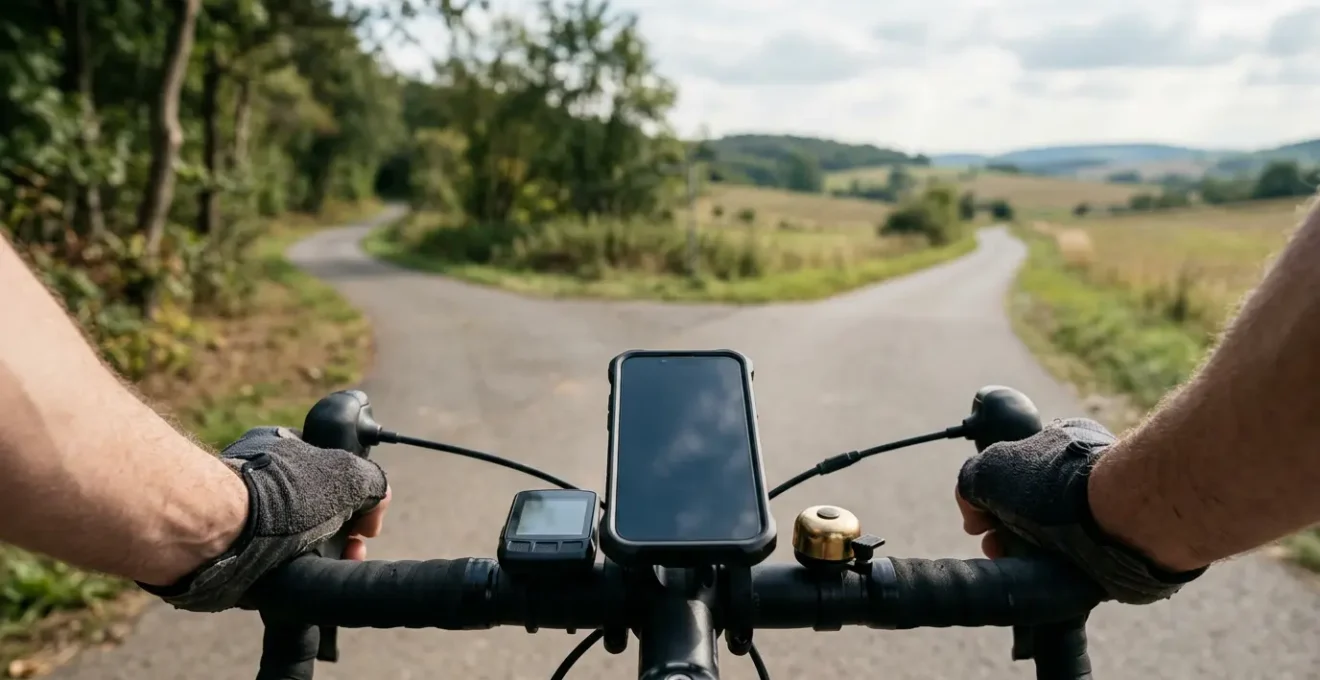
The real choice between Strava Premium and Komoot isn’t social vs. planning, but their fundamental data philosophy.
- Strava leverages past performance data to fuel competition and fitness benchmarks.
- Komoot uses prospective map data to unlock true exploration and adventure.
Recommendation: Choose Strava if your goal is to race your past self and others; choose Komoot if your primary goal is to discover new places.
Every cyclist knows the feeling. You’re scrolling through your feed, seeing the same club loop for the tenth time, and a hunger for something new sets in. But the fear of a bad route—a dead-end, a surprise gravel patch on 25mm tires, or an unexpectedly busy A-road—keeps you clicking ‘save’ on the tried and tested. To solve this, you’re ready to pay for a premium subscription. The market presents two giants: Strava and Komoot. The common wisdom is a simple, almost lazy, distinction: “Strava is for showing off, Komoot is for planning.”
But when your hard-earned cash is on the line, such a surface-level take isn’t enough. It’s a platitude that ignores the fundamental question a paying user must ask: which app’s premium toolset will deliver the highest return on investment in the form of genuinely better rides? This isn’t just about comparing features; it’s about understanding the core philosophy driving each platform. Your subscription money is buying access to a specific type of data intelligence.
The crucial difference lies in their data philosophy. Are you paying for access to a massive library of retrospective performance data (Strava), or are you investing in a powerful engine for analyzing prospective exploratory data (Komoot)? The former helps you get faster on known roads, while the latter helps you find entirely new ones. This distinction is the key to unlocking which app will truly serve your riding goals.
This article dissects how the core features of each app—from heatmaps and segments to climbing aids and ecosystem lock-in—are a direct result of their guiding philosophy. By understanding this, you can make an informed investment not just in an app, but in the right tool to shape your future adventures.
To help you navigate this complex decision, this guide breaks down the key battlegrounds where these two app philosophies clash. We’ll analyze specific features and scenarios to reveal which platform provides the most value for your premium subscription, depending on what “a better route” truly means to you.
Summary: Strava vs. Komoot: A Deep Dive for Premium Users
- Heatmaps Explained: How to Use Crowd Data to Avoid Busy Roads?
- KOM Hunting: How to Use Segments to Measure Your Fitness Progress?
- The Bluetooth Sync Nightmare: How to Ensure Your Route Appears on Your Head Unit?
- Paved or Unpaved: How to Spot Gravel Traps on Road Routes?
- Club Leaderboards: Do They Encourage Community or Unhealthy Competition?
- Komoot vs OS Maps: Which Is More Reliable for Off-Road Right of Way?
- ClimbPro vs Summit: Which Feature Actually Helps You Pace?
- Mapping Ecosystems: Why Switching Brands Means Rebuilding Your Route Library?
Heatmaps Explained: How to Use Crowd Data to Avoid Busy Roads?
Strava’s Global Heatmap is its crown jewel, a visually stunning representation of its platform’s scale. It aggregates public activities, painting the globe with lines of human-powered movement. With over 10 billion activities uploaded by 135 million users, the dataset is unparalleled. At first glance, the strategy seems simple: follow the brightest lines for the most popular—and presumably best—routes. However, this is a classic beginner’s mistake that perfectly illustrates Strava’s data philosophy. Popularity doesn’t always equate to quality.
A bright line on a major A-road isn’t a recommendation; it’s a sign of necessity, showing where countless cyclists are forced to ride. The real power of the heatmap for a premium user isn’t in following the crowd, but in interpreting the ‘negative space’. By looking for the dimmer, less-traveled paths connecting the major arteries, you can uncover the quiet back roads and hidden gems that locals use. This is where Strava’s route builder, when used in conjunction with the heatmap layer, becomes a powerful tool for discovering ‘popular-adjacent’ rides.
Premium features further enhance this. The ability to filter by activity (ensuring you’re not following a runner’s footpath) and cross-reference with the satellite view is crucial. A bright line might be a protected bike path or a treacherous road shoulder; only by toggling layers can you tell the difference. Ultimately, the heatmap is a tool for calibrating your route against collective past behavior. It tells you where people *have been*, which is incredibly powerful but fundamentally different from an app designed to show you where you *could go*. It’s about optimizing within the known, not discovering the unknown.
KOM Hunting: How to Use Segments to Measure Your Fitness Progress?
If Heatmaps represent the collective ‘where’ of Strava, Segments represent the individual ‘how fast’. A Segment is a user-defined stretch of road or trail where athletes can compete for time. Achieving the fastest time earns a King or Queen of the Mountains (KOM/QOM) crown. This is the gamification engine of Strava, and it’s a powerful tool for measuring and motivating fitness progress. For a premium subscriber, Segments are more than just a leaderboard; they are a granular, real-world fitness test. You can track your Personal Records (PRs) over months or years, seeing tangible proof of your training paying off on a specific climb or sprint.

This feature perfectly embodies Strava’s focus on performance-oriented, retrospective data. Each attempt on a segment adds to a rich personal history of effort, power, and heart rate. It encourages you to race your past self. Komoot, in contrast, has no direct equivalent. Its “Highlights” are user-submitted points of interest or nice stretches of road—closer to a travel guide than a race course. This illustrates the fundamental philosophical divide:
Strava asks ‘How fast did you go?’ while Komoot asks ‘Where should you go next?’
– Cyql App editorial team, Komoot vs Strava: Which App to Use for Cycling Route Planning
For the rider deciding on a premium subscription, the question becomes: what is your primary goal? If it’s to measure performance, benchmark against yourself and others, and find motivation in competition, Strava’s Segment ecosystem is an unparalleled feature worth paying for. If your goal is exploration, the value is significantly diminished. Segments are about depth on a single route, not breadth across many.
The Bluetooth Sync Nightmare: How to Ensure Your Route Appears on Your Head Unit?
You’ve spent 30 minutes crafting the perfect route. You’ve vetted every turn, checked the surface types, and are excited for a new adventure. You hit ‘send to device’, get kitted up, turn on your GPS head unit… and there’s nothing. The dreaded Bluetooth sync failure is a universal frustration that transcends app choice, but how each ecosystem handles it reveals much about its design. The process involves a delicate three-way handshake: your phone, the route app (Strava/Komoot), and the GPS device’s companion app (Garmin Connect, Wahoo ELEMNT). A failure at any point breaks the chain.
Troubleshooting this issue often feels like digital voodoo, but it usually comes down to a few common culprits. A robust troubleshooting protocol involves systematically checking connections, restarting apps, and ensuring authorizations are in place. One of the most common and overlooked issues, especially on multi-day trips, is the head unit’s internal storage being full of old courses, which prevents new ones from being downloaded.
Case Study: The Multi-Day Sync Failure
During a multi-day cycling trip, a Garmin Edge Explore 2 user experienced sudden route sync failure from Komoot. Despite confirming an active Bluetooth connection and attempting multiple sync attempts, new routes refused to download. The root cause was discovered to be device storage at capacity from accumulated older courses. The solution involved deleting previous routes directly on the device, which immediately restored sync functionality and allowed new daily routes to download successfully for the remainder of the trip.
Both Strava and Komoot have integrations with major head unit brands, but the process can be fragile. Often, the ‘nuclear option’ of manually exporting the route as a GPX file and transferring it via a computer is the only foolproof method. This highlights the importance of understanding the underlying technology. While seamless wireless syncing is the marketing promise, being prepared for it to fail is the mark of an experienced rider. A premium subscription doesn’t make you immune to these issues, but familiarity with both the ‘easy’ and ‘manual’ methods ensures your planned ride always makes it to your handlebars.
Paved or Unpaved: How to Spot Gravel Traps on Road Routes?
For a road cyclist, there’s nothing more jarring than a smooth, fast descent turning unexpectedly into a chunky gravel track. This is where Komoot’s core data philosophy—a deep, prospective analysis of map data—truly shines and justifies its premium subscription for many. While Strava’s route planner has improved, its surface type analysis is still less granular. It primarily relies on the crowdsourced popularity data from its heatmap; if enough road bikes have gone down a path, it’s often marked as ‘paved’, regardless of the reality on the ground.
Komoot takes a different approach. It leverages the rich, detailed data from OpenStreetMap (OSM) and then enhances it with its own analysis. As the Cyql App team notes, “Komoot uses OpenStreetMap data but highlights cycleways, railway lines, gravel paths or asphalt surfaces so that users are able to tell if the route or shortcut is actually rideable.” This allows for a much more nuanced breakdown of the route. When planning, Komoot doesn’t just show you a line; it tells you the story of that line, detailing exactly how many kilometers you’ll spend on different surface types.
The level of detail is impressive, with a route’s info often showing a breakdown of cycleway, street, fast A road, unpaved, cobbled, and paved sections. For the premium user, this isn’t just a feature; it’s a critical safety and enjoyment tool. It allows a road rider to confidently plan a 100km route knowing they won’t be caught out by a 5km ‘gravel trap’. Conversely, it allows a gravel or mountain biker to specifically seek out those unpaved sections. This proactive surface analysis is a direct benefit of Komoot’s focus on exploration and adventure planning, offering a level of pre-ride certainty that Strava’s popularity-based model struggles to match.
Club Leaderboards: Do They Encourage Community or Unhealthy Competition?
Strava Clubs are a central pillar of the app’s social experience. They create a digital home for real-world cycling clubs, groups of friends, or brand communities. A key feature within these clubs is the weekly leaderboard, ranking members by distance, time, or elevation gain. This creates a powerful motivational loop, but it begs the question: does this foster a supportive community or just a more focused, and potentially unhealthy, form of competition?
The answer, it seems, is both. The leaderboard can be a tremendous force for good. For riders trying to increase their weekly mileage, seeing their name climb the ranks provides a tangible reward and a sense of shared purpose. It can spark friendly rivalries that get people out on the bike when they might otherwise have stayed home. Research backs this up; a Boston corporate cycling challenge research study found that social dynamics (motivating others or being motivated by others) had a very strong positive effect on participants’ activity levels.
However, there’s a flip side. For some, the relentless weekly ranking can turn a leisure activity into a source of stress. A ‘recovery week’ with low mileage can feel like a public failure. It can also create pressure to log ‘junk miles’ simply to stay on the board, potentially compromising structured training plans. The focus is purely on quantitative output, ignoring the quality or purpose of the rides. Komoot, by contrast, has no leaderboards. Its community features revolve around sharing routes (“Tours”) and locations (“Highlights”), framing interaction around the shared experience of a place, not the competitive comparison of performance metrics. This again highlights the core philosophical divide: Strava’s community is built around doing, while Komoot’s is built around discovering.
Komoot vs OS Maps: Which Is More Reliable for Off-Road Right of Way?
When you venture off-road, the reliability of your map is paramount. A wrong turn isn’t just an inconvenience; it can lead to trespassing, unrideable terrain, or a long hike-a-bike. This is where the source of an app’s map data becomes critically important. Komoot’s global mapping is built on OpenStreetMap (OSM), a massive, crowdsourced ‘Wikipedia of maps’. In contrast, traditional mapping providers like Ordnance Survey (OS) in the UK or the USGS in the US provide official, government-mandated data that defines legal rights of way, such as bridleways and byways.

So, which is more reliable? It depends on the context. OSM’s great strength is its speed and detail. A new trail built by local mountain bikers might appear on OSM within weeks, while it could take years to show up on an official map, if ever. OSM is often more detailed in its depiction of the trail network as it exists on the ground. However, its weakness is its lack of legal authority. Just because a trail is on OSM doesn’t mean you have a legal right to ride your bike on it. The data is only as good as the local contributors.
Official maps like OS Maps are the definitive source for legal right of way. If a path is marked as a bridleway on an OS map, you can be confident you have the right to be there. However, they can be slow to update and may not show the ‘unofficial’ but well-established local trails that make an area great for riding. For the premium user planning off-road adventures, the ideal strategy is to use both. Komoot, with its OSM base, is an excellent tool for discovering the potential of an area and planning a route. But for true peace of mind, it’s wise to cross-reference that route with an official source like OS Maps to verify rights of way, ensuring your adventure is both exciting and legal.
Key takeaways
- Strava’s premium features (Heatmaps, Segments) optimize routes based on past popularity and performance.
- Komoot’s premium features (surface analysis, detailed planner) optimize routes for future discovery and adventure.
- Your choice locks you into a data ecosystem; plan an exit strategy by maintaining a personal GPX/FIT archive.
ClimbPro vs Summit: Which Feature Actually Helps You Pace?
Few features have changed in-ride pacing strategy more than modern climbing aids. These tools break down an upcoming climb, showing you a real-time gradient profile, distance to the summit, and remaining ascent. Garmin’s version is ClimbPro, and Komoot has its own implementation, often called Summit or simply Climb View. While they serve the same purpose, their execution and underlying data requirements differ, impacting which one might actually help you pace more effectively.
Both features are fundamentally dependent on the quality of the elevation data embedded in the route file you’re following. A route planned with poor data will result in an inaccurate climb profile, rendering the feature useless. However, a key difference lies in their visualization and integration. Garmin’s ClimbPro, available on its Edge devices, uses a distinctive color-coded gradient chart (green for easy, red for steep) that provides an at-a-glance understanding of the effort required for each section. Komoot’s version offers a similar profile but is often praised for its clear breakdown of different pitch percentages in the pre-ride planner.
The choice between them often comes down to the ecosystem you’re invested in. ClimbPro is a seamless part of the Garmin experience, while Komoot’s feature works across various devices that support its app. For a rider deciding on a premium planning tool, the key is to ensure the chosen app generates high-quality route files that can power these features accurately, regardless of the brand name on the screen. The table below, based on analysis from resources like a recent comparative analysis by Cyclist magazine, breaks down the key aspects.
| Feature | ClimbPro (Garmin) | Summit/Climb (Komoot/Others) |
|---|---|---|
| Data Source Dependency | Requires quality route file with accurate elevation data | Requires quality route file with accurate elevation data |
| Visual Pacing Interface | Color-coded gradient segments (green/orange/red zones) | Elevation profile with gradient visualization |
| Climb Detection | Automatic categorization based on route segments | Based on route profile and user-defined parameters |
| Pre-Ride Planning | Available in Garmin Connect route planner with climb profile preview | Available in Komoot route planner with elevation profile and pitch breakdown |
| Turn-by-Turn Integration | Seamless integration with Garmin navigation | Varies by platform; Komoot offers turn-by-turn cues |
| Segment Alignment Issue | May end prematurely if locked to shorter Strava segment | Tracks full logical climb based on route file structure |
Mapping Ecosystems: Why Switching Brands Means Rebuilding Your Route Library?
After years of meticulously saving routes, starring segments, and logging thousands of miles, your chosen app becomes more than a tool; it becomes a personal cycling archive. This is the power and the peril of the mapping ecosystem. Switching from Strava to Komoot, or vice versa, isn’t like changing your brand of coffee. It often means leaving behind a vast library of routes, performance data, and memories, a phenomenon known as vendor lock-in. While both platforms are built on the same foundational OpenStreetMap data, with over 55% of OSM ways covered by Strava activity, the proprietary layers they build on top are not interoperable.
Your curated list of “My Routes” in Strava, tied to your segment history and heatmap data, doesn’t transfer to Komoot. Likewise, your collection of “Planned Tours” in Komoot, complete with custom waypoints and surface-type details, doesn’t import seamlessly into Strava. You are forced to manually rebuild your library, one route at a time. This creates a significant barrier to switching, keeping users tied to a platform even if a competitor offers features they desire. The longer you use one app, the deeper the roots of the ecosystem grow, and the more painful it is to pull them up.
For the savvy premium user, the solution is not to avoid ecosystems but to manage them proactively. The key is to build a platform-agnostic personal archive. By systematically exporting your most important routes and activities as GPX or FIT files and storing them in a personal cloud folder, you retain ownership of your data. This creates a personal, future-proof library that can be imported into any new app or device you choose in the future. It’s a small amount of digital housekeeping that provides immense freedom and protects your most valuable cycling asset: your history.
Action plan: Build Your Future-Proof Route Archive
- Establish neutral third-party bridge tools – use platforms like RideWithGPS or services like tapiriik to transfer data between ecosystems and mitigate vendor lock-in.
- Systematically download GPX/FIT files – export all key routes (GPX) and activities (FIT) from your current platform.
- Create a personal cloud archive – store exported files on independent cloud storage (Google Drive, Dropbox) organized by year or region.
- Document route metadata separately – maintain a spreadsheet with route names, descriptions, and key waypoints alongside the GPX files for future reference.
- Test import compatibility – periodically verify that your archived GPX files can be successfully imported into alternative platforms to ensure data portability.
Ultimately, the choice to invest in Strava Premium or Komoot hinges on what you want your money to do: refine your performance on known territory or unlock the potential of new adventures. By understanding their distinct data philosophies, you can align your subscription with your riding aspirations and ensure every dollar spent translates into genuinely better routes.