
Switching GPS brands is more than a hardware change; it’s a destructive migration of your accumulated ride intelligence and data legacy.
- Ecosystem-specific features create “siloed value” (like detailed climb analytics or integrated safety networks) that does not transfer with a simple GPX file.
- The true cost of switching is not the price of the new device, but the “digital friction” and effort required to rebuild years of behavioral intelligence and routing history.
Recommendation: Before you switch, perform a personal audit of your reliance on deeply integrated features to understand the real cost of leaving your current ecosystem.
The cycling tech landscape is a relentless churn of innovation. A new head unit drops from Wahoo, Hammerhead, or Garmin, and the allure is undeniable: a brighter screen, a faster processor, a killer new feature. For any cyclist deeply invested in one brand—say, Garmin—the temptation to switch to a Karoo or Wahoo is tempered by a nagging, complex fear. It’s a fear that goes far beyond the price tag. Most online reviews and comparisons will dutifully line up spec sheets, weighing battery life against screen resolution. They’ll tell you how to export a GPX file from one platform and import it into another, as if that solves the entire problem.
But this technical solution misses the profound, user-experience-focused issue at the heart of the matter. Years of riding with one brand isn’t just about accumulating data; it’s about building a digital identity, a “data legacy.” Your device knows your power curve on your local climb, the routes you favor on weekends, and the intricate network of sensors you’ve paired with it. This is the invisible power of the ecosystem. Switching brands isn’t a simple hardware swap; it’s a full-scale digital migration, and with any migration comes the risk of data loss, workflow disruption, and what tech analysts call “digital friction.”
What if the real question isn’t “which device is better?” but rather, “what ecosystem-specific value will I lose, and can I live without it?” This article moves beyond surface-level comparisons to dissect the very nature of these walled gardens. We will analyze the “siloed value” of key features, explore the psychological impact of information overload, and identify where third-party apps like Strava and Komoot can—and cannot—bridge the gap. It’s a strategic look at what it truly means to change your digital map in the world of cycling.
This comprehensive analysis will explore the specific pain points and hidden benefits tied to each ecosystem, providing you with the framework to make a truly informed decision. Below is a summary of the critical aspects we will dissect.
Summary: The True Cost of a Brand-New Bike Computer
- ClimbPro vs Summit: Which Feature Actually Helps You Pace?
- Dead Ends: How Smart Is the “Take Me Home” Feature really?
- Sleep Mode: Does It Save Enough Battery for a 200km Ride?
- Information Overload: Why Less Data on Screen Makes You Faster?
- Notification Fatigue: Should You Sync Texts to Your Head Unit?
- The Bluetooth Sync Nightmare: How to Ensure Your Route Appears on Your Head Unit?
- ANT+ Light Networks: Is Controlling Lights from Your Computer Useful?
- Strava vs Komoot: Which App Actually Improves Your Route Planning?
ClimbPro vs Summit: Which Feature Actually Helps You Pace?
Neither ClimbPro nor Summit is inherently “better” for pacing; their true value is determined by how their data is integrated into your post-ride analysis, a value often trapped within the brand’s ecosystem. While both provide real-time gradient and distance information, the feature’s utility extends beyond the ride itself. According to Garmin, the ClimbPro feature is designed to help you “manage your effort for the upcoming climbs on a course,” showing details like gradient, distance, and elevation gain. This is the on-screen utility.
However, the real ecosystem lock-in reveals itself after the ride. The true value for a data-driven cyclist is analyzing performance on each climb over time. Here, the ecosystem’s integrity is paramount. For instance, according to user testing documented in Garmin forums, ClimbPro on Edge devices diligently records detailed statistics for each climb into Garmin Connect, allowing for deep analysis. In contrast, the same feature on some of their premium watches, like the Fenix, doesn’t save this granular climb data to the platform. This inconsistency highlights a critical point: the feature’s value is not just in its existence, but in its deep, reliable integration into the platform’s analytical tools. This “siloed value” is something you cannot export with a GPX file when switching to Wahoo or Karoo, effectively erasing your climbing history and performance benchmarks.
Dead Ends: How Smart Is the “Take Me Home” Feature really?
The “Take Me Home” or “Route to Start” feature is a fundamental safety net for any cyclist exploring new territory. Yet, its intelligence and reliability are one ofthe most opaque and brand-dependent functions you’ll encounter. When you’re exhausted, disoriented, or caught in bad weather, you place immense trust in your device’s ability to guide you back efficiently and safely. Switching brands means learning to trust a completely new set of routing algorithms and map data philosophies, a process that can be filled with anxiety.
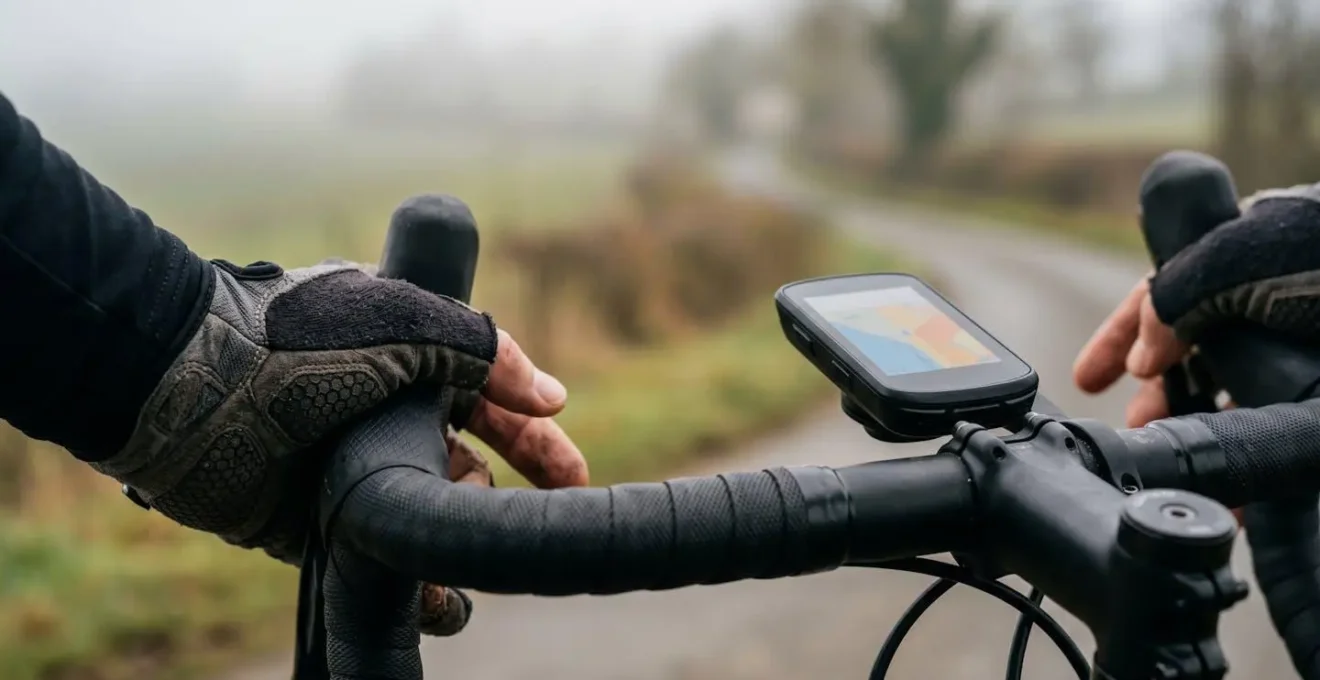
A Garmin user, for example, becomes accustomed to its specific routing behavior, which might prioritize main roads for speed or have certain biases based on its map dataset. Wahoo, with its historically simpler interface, might offer a more direct but less “intelligent” route, while Hammerhead’s Karoo, with its frequent software updates, might change its routing behavior over time. The “smartness” of the feature depends entirely on the ecosystem’s backend. Does it use historical ride data (heatmaps) to avoid dangerous intersections? Does it understand the difference between a paved path and a technical singletrack? This underlying intelligence is proprietary and non-transferable. Losing this learned trust in a critical safety feature is a significant, often underestimated, cost of switching systems.
Sleep Mode: Does It Save Enough Battery for a 200km Ride?
Battery life is often presented as a simple number, but for the endurance cyclist, it’s a strategic calculation. The question for a 200km ride isn’t just “will it last?” but “how does the ecosystem help me make it last?” Different brands approach this problem with starkly different philosophies. Some, like Coros, focus on massive raw battery capacity as a primary selling point, while others, like Garmin, leverage software and ecosystem integration to intelligently manage power consumption.
Features like “Sleep Mode” or “Power Save” are more than just screen-dimming functions; they are expressions of an ecosystem’s design philosophy. Garmin’s power modes, for instance, can be configured to systematically shut down non-essential functions, disable specific sensors, or reduce GPS polling rates, all while maintaining core navigation and recording. This is a software-centric solution that relies on the deep integration of hardware and software. When you switch brands, you’re not just getting a new battery; you’re adopting a new power management strategy. You might be moving from a system of intricate software controls to one that relies on brute-force battery size.
Case Study: The Brute-Force Endurance of the Coros Dura
The Coros Dura exemplifies the hardware-first approach to battery life. Its design prioritizes massive capacity to eliminate battery anxiety for ultra-endurance athletes. In real-world testing, this approach proves its worth. For example, during one documented 8-hour backcountry ride, a tester finished with 70% battery still remaining. Highlighting this endurance, professional cyclist Haley Smith reported logging over 90 hours of ride time without needing a charge since first receiving her unit. This demonstrates that for multi-day events or those who simply want to eliminate charging from their weekly routine, a device built with a pure-endurance philosophy can be a compelling alternative to software-managed power-saving modes.
The choice is not between a “good” or “bad” system, but between different approaches to endurance. Do you prefer the fine-tuned, configurable control of an integrated software system, or the set-and-forget confidence of a massive battery? This choice is a core part of your data and hardware ecosystem.
Information Overload: Why Less Data on Screen Makes You Faster?
Paradoxically, displaying less data can make you faster by reducing cognitive load and preventing what sports scientists call “measurement fixation.” The ability to customize data screens with dozens of fields is a hallmark of modern GPS computers, but a tech-savvy approach recognizes that more is not always better. The user experience of a device is heavily defined by how it helps you focus on what truly matters during a hard effort.
The temptation to monitor every possible metric—power, heart rate, cadence, speed, VAM, and more—can be detrimental to performance. A fascinating 2020 UK/Qatari study by Bayne et al. found that when trained cyclists were given multiple forms of feedback during a 30-minute time trial, their average power dropped significantly from 288W to 228W compared to when they received only a single piece of feedback. This demonstrates that processing excessive information creates a cognitive burden that directly detracts from physical output. As researchers point out, the digital sporting environment introduces unique pressures:
The researchers identified 16 stressors, eight adapted from workplace contexts-such as information overload and loss of control—and eight sport-specific stressors, including measurement fixation, comparison pressure, and the performance enhancement imperative.
– Werner and Bischof, Frontiers in Sports and Active Living
Switching ecosystems forces you to rebuild your data screens from scratch. This can be seen as a burden, but it is also an opportunity. It’s a chance to intentionally design a more minimalist interface, focusing only on the one or two metrics that are crucial for your specific workout. A well-designed ecosystem isn’t one that offers the most data fields, but one that makes it easy to see only the essential data, at the right time, allowing you to focus on the feeling of riding fast, not just watching the numbers.
Notification Fatigue: Should You Sync Texts to Your Head Unit?
The ability to sync smartphone notifications to your cycling computer is often touted as a feature of convenience, but for a rider focused on performance or the pure experience of cycling, it’s a Trojan horse for distraction. The question of whether to enable this feature touches on the core purpose of your head unit: is it an extension of your digital life, or a dedicated tool for enhancing your ride? Answering this requires understanding the cognitive cost of constant connectivity.
Cycling, particularly outdoors, offers a unique opportunity for mental decompression. The cognitive demands are different and, in some ways, lower than in other environments. For instance, according to research published in PMC on evaluating mental workload in cycling, the mental demand of outdoor riding was found to be significantly less than that of indoor cycling during long rides. This underscores the restorative, low-stress nature of being on the open road. Introducing a stream of text messages, emails, and social media alerts directly into your primary visual field shatters this mental space. Each buzz and pop-up is a “context switch” that pulls your focus from the road, your effort, or the scenery, contributing to “notification fatigue.”
A sophisticated user of a tech ecosystem makes deliberate choices about what to let in. Disabling notifications is not a Luddite rejection of technology; it’s a strategic decision to protect your focus and preserve the quality of the ride experience. When evaluating a new ecosystem, consider not just what it *can* do, but how easily it allows you to *not* do things. A great system provides granular control, allowing you to permit critical alerts (like a call from a specific contact) while silencing the rest of the digital noise. This level of control is a key differentiator in user experience design.
The Bluetooth Sync Nightmare: How to Ensure Your Route Appears on Your Head Unit?
There is no greater “digital friction” for a cyclist than the pre-ride panic of a route that refuses to sync. You’ve spent time meticulously planning on Komoot or Strava, your kit is on, and your bike is ready, but the route is stuck in the cloud, failing to appear on your head unit. This Bluetooth sync failure is a universal pain point and a critical test of an ecosystem’s reliability and user-friendliness. The way each brand handles this—and the troubleshooting required—reveals much about its software philosophy.
The process of transferring a route from a phone app to a head unit involves a delicate dance of permissions, active connections, and software handshakes. A failure can occur at any point, and the recovery process is often non-intuitive. While some devices offer a robust and seamless sync, others require a specific, often undocumented, sequence of restarting apps, toggling Bluetooth, or re-pairing devices. This inconsistency is a major source of frustration for users switching brands, as the “correct” troubleshooting method for a Garmin is often different from that for a Wahoo or Karoo. For instance, some ecosystems are more reliant on their companion app than others.
Unlike Garmin and Wahoo, a lot of the Dura’s settings need to be set within the app rather than on the device itself.
– Cycling Weekly testing team, Best bike computers 2026 review
This dependency means that a problem with the app can render the head unit’s advanced features useless. For any user, having a reliable troubleshooting protocol is essential. The following checklist provides a universal set of steps that can resolve the majority of sync issues, regardless of brand.
Your Pre-Ride Sync Checklist: A Universal Protocol
- Force-quit the companion app (Garmin Connect, Wahoo, Hammerhead) completely on your phone and then restart it. This resolves most temporary glitches.
- Check app permissions in your phone’s settings. Verify that the app has access to Location, and that Background App Refresh is enabled to allow syncing when the app isn’t in the foreground.
- Clear the Bluetooth cache by turning your phone’s Bluetooth off for 10 seconds and then turning it back on. For persistent issues, “forget” the head unit in your Bluetooth settings and re-pair it from scratch within the companion app.
- Verify the route is properly prepared for sync. In the companion app, ensure the route is “pinned,” “starred,” or marked to be sent to the device before initiating the sync.
- As a fail-safe for mission-critical rides, always know how to use a USB cable to transfer the .gpx or .fit file directly to the device’s storage. This is the most reliable backup method and bypasses all wireless complexities.
ANT+ Light Networks: Is Controlling Lights from Your Computer Useful?
On the surface, controlling your bike lights from your head unit might seem like a minor convenience, a feature bordering on gimmickry. However, when viewed through the lens of a tech ecosystem, it represents one of the most powerful examples of “siloed value” and intelligent safety integration. The utility isn’t just about turning lights on and off; it’s about creating a cohesive, automated safety network that is far more than the sum of its parts—a network that is almost impossible to replicate by mixing and matching brands.
A standalone taillight is a passive device. An integrated light network, however, is an active safety system. It can automatically adjust its flash pattern when you’re braking, switch to a solid beam when you slow down, or change its intensity based on ambient light conditions. This level of automation removes the mental overhead of managing your lights, ensuring you are always as visible as possible. The Garmin Varia system is the quintessential example of this ecosystem lock-in.
Case Study: The Garmin Varia Radar and Light Ecosystem
The Garmin Edge 130 Plus and higher-end Edge computers demonstrate the power of a deeply integrated safety network. When paired with the Varia rear radar and light, the system becomes a cohesive unit. The head unit doesn’t just display data; it actively controls the network. It automatically manages the light’s activation and can adjust brightness or flash patterns based on the radar’s input, for example, changing the pattern when a car is detected approaching from behind. Simultaneously, the radar feeds real-time vehicle approach alerts to the head unit’s screen and speakers. This seamless integration of radar detection, visual alerts, and automated light control enhances both safety and convenience to a degree that simply cannot be achieved by using a separate light and a separate head unit from different brands.
This case study illustrates that the value is not in the light or the radar alone, but in their communication and automated interaction, orchestrated by the head unit. This is a powerful form of ecosystem lock-in where the integrated experience is so superior that it becomes a primary reason to stay within the brand. When you switch away from Garmin, you might find a better head unit, but you lose the Varia’s unique safety network integration.
Key Takeaways
- Switching brands erases your “data legacy,” including the device’s learned “behavioral intelligence” about your performance and habits.
- Core features like ClimbPro’s post-ride analytics and Varia’s integrated safety network create “siloed value” that is lost outside their native ecosystem.
- Third-party platforms like Strava and Komoot are essential bridges for route planning but cannot fully replicate the deep, seamless integration of a single-brand hardware and software system.
Strava vs Komoot: Which App Actually Improves Your Route Planning?
While head unit ecosystems create powerful but restrictive silos, third-party route planning applications like Strava and Komoot represent the essential escape hatch. They are the brand-agnostic platforms that allow a user to build a “route library” that can, in theory, be deployed to any device. However, choosing between them is not a simple matter of preference; they are built on fundamentally different philosophies. Understanding this difference is key for any cyclist looking to build a resilient, future-proofed data legacy that can survive a change in hardware.
Strava’s approach is rooted in social data. Its primary route-building tool leverages heatmaps—an aggregated visualization of millions of real-world activities. This makes it incredibly powerful for finding the most popular and commonly ridden roads in an area. If you want to ride where everyone else rides, Strava is unparalleled. Komoot, on the other hand, is built on a foundation of detailed map data and surface-type awareness, using an enhanced version of OpenStreetMap. It excels at discovery, adventure, and mixed-surface routing, allowing you to plan a ride based on the specific types of paths you want to explore. The following table, based on a comprehensive analysis from BikeRadar, breaks down their core differences.
| Feature | Strava | Komoot |
|---|---|---|
| Core Philosophy | Socially-Vetted Planning (Heatmaps, popularity-based routes) | Surface-Aware Planning (road type, surface quality, elevation) |
| Map Data Source | OpenStreetMap with proprietary heatmap layer from millions of users | OpenStreetMap with enhanced highlighting of cycleways, gravel paths, surface types |
| Best Use Case | Finding most popular roads, competing on segments, performance tracking | Discovering new paths, exploring mixed surfaces, adventure/gravel routing |
| Route Planning Access | Requires premium subscription (approx. €10/month or €65/year) | Free planning; region unlock required for GPS sync (€3.99-€29.99 one-time) |
| Turn-by-Turn Navigation | Available with premium; works best on laptop for planning | Detailed turn-by-turn with voice guidance; mobile-optimized interface |
| Community Features | Segments, leaderboards, KOMs, performance comparison | Highlights (points of interest), local cyclist recommendations, photos/descriptions |
For a user invested in the Garmin ecosystem, Strava often feels like a natural extension, focusing on performance and competition. A user drawn to the exploratory nature of a Hammerhead Karoo might find Komoot’s detailed surface information and point-of-interest “Highlights” more philosophically aligned. Ultimately, the savvy cyclist doesn’t choose one over the other; they use both. Strava for the weekly fast group ride, Komoot for the weekend gravel adventure. Building your route library across both platforms is the most effective strategy for mitigating the “rebuilding” cost of switching head unit brands.
Before making the switch, perform a personal audit of your most-used features. Understand what is truly ecosystem-dependent to make an informed decision that protects your riding experience and your hard-earned data legacy.