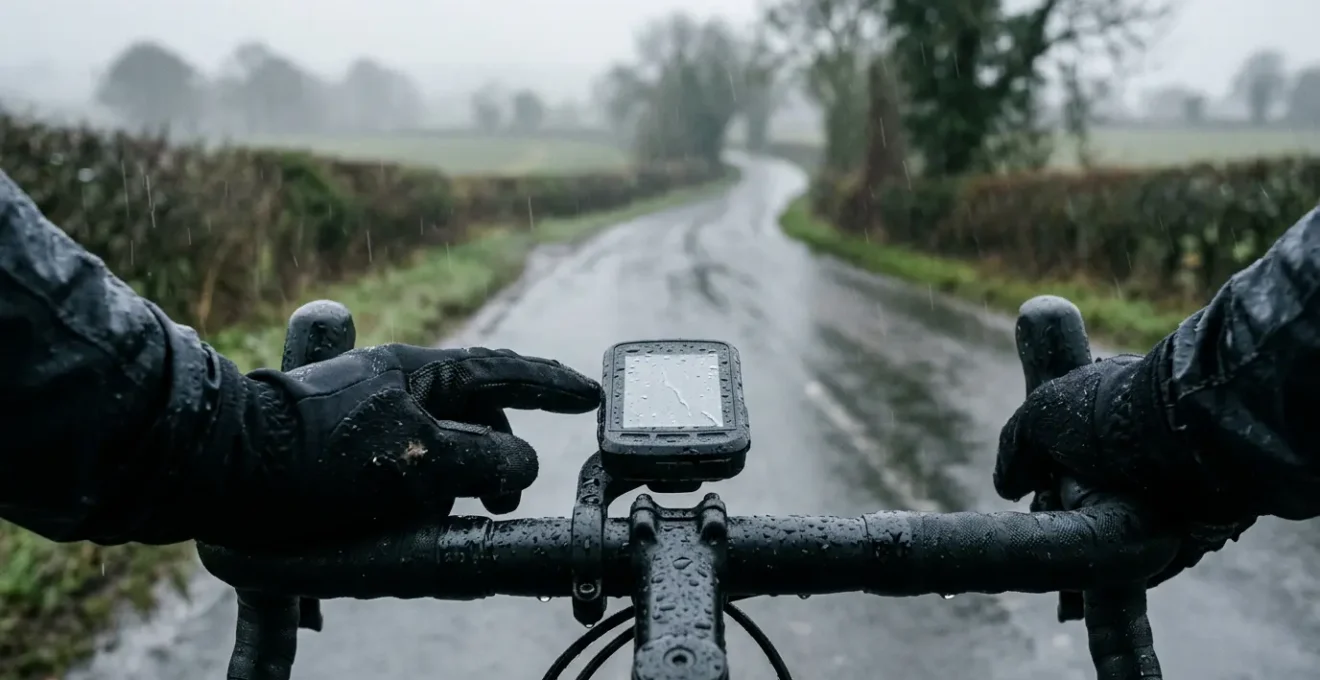
The best cycling computer for wet weather isn’t the one with the most features, but the one with the highest cognitive resilience, minimising interface friction when you need it most.
- Wahoo’s button-only interface offers superior reliability and tactile feedback with wet gloves, eliminating the ‘ghost swipe’ issue common with touchscreens.
- Garmin provides more advanced mapping and features like solar, but their real-world benefit is questionable in typical UK conditions, and can add screen clutter.
Recommendation: For riders who prioritise absolute reliability and simplicity in the harshest UK weather, Wahoo’s focused usability is the winner. For those who need advanced features and are willing to manage the complexity, Garmin’s hybrid 540/840 models offer a viable compromise.
Picture this: you’re three hours into a solo ride in the Peak District. The drizzle has turned into a persistent, chilling rain. Your gloves are soaked, your fingers are numb, and you’re faced with a complex, unfamiliar junction. You glance down at your expensive GPS unit, but the screen is a mess of raindrops, and your prodding with a wet finger only results in frantic, unintended screen swipes. The turn you needed to make is now 100 metres behind you. We’ve all been there. This moment of frustration isn’t just an inconvenience; it’s a failure of the equipment at the most critical time.
The debate between Garmin and Wahoo is often simplified to “features vs. simplicity” or “touchscreen vs. buttons.” But for a cyclist in the UK, where a ride without rain is a bonus, not the norm, the criteria are different. This isn’t about having the most data fields or the prettiest maps. It’s about reliability, clarity, and what we’ll call cognitive resilience. How well does the device perform when both its own usability and your decision-making capacity are degraded by the cold and wet?
This guide moves beyond the spec sheets to analyse which brand’s philosophy truly holds up when the weather turns. We’ll examine the critical points of failure—from gloved operation and screen readability to the genuine utility of features like solar charging and automated climb detection in a British context. We won’t just ask which is better, but *why* one might be better for *you* when you’re battling the elements.
This article provides a detailed comparison of the features that matter most in challenging weather. Explore the sections below to find the head unit that best matches your needs for reliable navigation and performance, rain or shine.
Summary: Garmin vs Wahoo for Rainy Rides
- Touchscreen vs Buttons: Which Is More Reliable in Winter Gloves?
- Solar Charging: Is It Effective in Cloudy UK Weather?
- Turn-by-Turn Beeps: Are They Distracting or Essential for Solo Rides?
- Crash Detection Features: Do They Actually Work When You Fall?
- Base Maps vs Topo Maps: Do You Need Contours for Road Riding?
- ClimbPro vs Summit: Which Feature Actually Helps You Pace?
- Radar vs GPS Battery: Does Pairing Them Kill Your Head Unit?
- Mapping Ecosystems: Why Switching Brands Means Rebuilding Your Route Library?
Touchscreen vs Buttons: Which Is More Reliable in Winter Gloves?
The primary point of interaction with your head unit is the most common point of failure in wet weather. The choice between a touchscreen and physical buttons is not just preference; it’s a fundamental decision about reliability. A capacitive touchscreen, like those on many Garmin models, relies on the electrical properties of your skin. When water covers the screen or your gloves are soaked, it can lead to infuriating ‘ghost swipes,’ unregistered taps, and a complete loss of control. This is the definition of interface friction when you can least afford it.
Wahoo, by contrast, has built its reputation on a button-only interface. As one review notes, this is a deliberate choice for resilience. In a review on the Bicycle Calorie Calculator Blog, an expert states:
Wahoo focuses on simplicity, performance, and ease of use. Their devices have clear buttons instead of touchscreens, which many riders find helpful during rough rides or rainy conditions.
– Raju, Bicycle Calorie Calculator Blog – Garmin vs Wahoo Review
The tactile ‘click’ of a button is unambiguous. It works with the thickest winter gloves, covered in mud, or under a sheet of rain. Garmin has recognised this limitation, introducing hybrid models like the Edge 540 and 840 that combine a touchscreen with a full set of button controls, offering a “best of both worlds” approach. This allows for fast, intuitive setup via touch when stationary, with the reliable backup of buttons when riding. The table below breaks down the practical differences.
| Feature | Garmin (Touchscreen Models) | Wahoo (Button-Only Models) | Garmin Hybrid (540/840) |
|---|---|---|---|
| Winter Glove Usability | Problematic with thick gloves | Excellent tactile feedback | Best of both worlds |
| Rain Performance | Ghost swipes and false inputs reported | Unaffected by moisture | Buttons available as backup |
| Screen Setup Speed | Fast and intuitive | Slower button navigation | Touchscreen for setup, buttons while riding |
| Durability Concern | Screen coating can wear | Buttons may get sticky with mud/salt | Dual maintenance requirements |
Solar Charging: Is It Effective in Cloudy UK Weather?
Garmin’s Power Glass solar charging technology promises to extend battery life, a tantalising prospect for long-distance cyclists. The manufacturer’s claim is an extra 20 minutes of battery life for every hour of riding in bright sun. However, the key phrase is “in the sun”—a condition that can be a rare commodity during a typical British cycling season. The question for any UK-based rider is whether this feature provides any meaningful benefit under persistently grey skies.
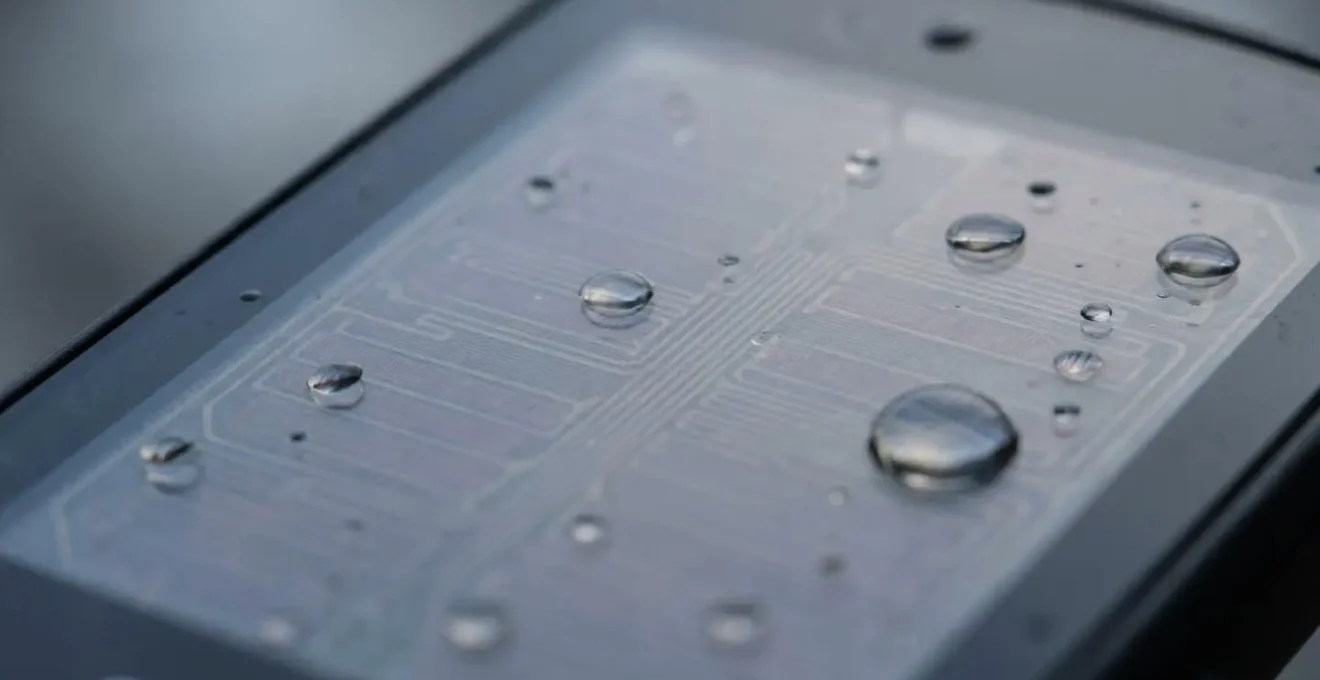
The reality is a significant drop-off in performance. In fact, real-world testing in British conditions showed that the device achieved only 32% of its potential solar charging capacity during a ride with mixed weather. While any extra power is welcome, this translates to a marginal gain rather than a game-changing one. It might give you a few extra minutes to get home, but it won’t turn a 10-hour battery into a 15-hour one on a cloudy day.
For UK riders, solar charging is best viewed as a ‘nice-to-have’ feature that offers a small buffer, rather than a primary reason to choose a specific model. It contributes very little to the device’s cognitive resilience because its benefit is minimal and unpredictable precisely when conditions are at their worst. A more effective strategy for managing battery life in the UK is to choose a unit with a large base battery and manage power-draining features, rather than relying on the fickle British sun.
Turn-by-Turn Beeps: Are They Distracting or Essential for Solo Rides?
In low visibility, with rain drumming on your helmet and obscuring your screen, an audible cue can be the difference between making a turn and missing it. Both Garmin and Wahoo offer turn-by-turn beeps, but their utility is highly personal and context-dependent. For a solo rider on a complex route, a simple, unambiguous beep ahead of a junction reduces the need to constantly glance down, lowering cognitive load and improving safety. It enhances the signal-to-noise ratio by delivering the most critical piece of information directly to your ears.
However, not all beeps are created equal, and in some situations, they can become part of the noise. On a quiet group ride or a shared towpath, constant auditory alerts can be annoying to others. Furthermore, the sound can be easily lost in the rush of wind or heavy traffic, rendering it useless. Wahoo offers a compelling visual alternative with its top-mounted LED strips, which can be configured to flash to indicate an upcoming turn—a silent but highly effective cue, especially in fog or drizzle.
Ultimately, the choice is about finding a system that delivers crucial information without adding distraction. The ideal setup is customisable, allowing you to tailor the type and volume of alerts to your specific ride conditions. Before committing, it’s worth auditing your own needs and riding style.
Your Action Plan: Evaluating Audio Navigation Cues
- Test audibility over ambient noise: Check if beeps are loud enough over wind, rain drumming on helmet, or traffic noise in real riding conditions.
- Compare visual alternatives: Wahoo’s LED lights can indicate turns without audio, useful in low-visibility fog or drizzle.
- Evaluate cognitive load reduction: Simple, unambiguous beeps may reduce mental strain in stressful conditions compared to varied tones.
- Consider group ride etiquette: Audio cues might annoy fellow riders on shared-use paths or quiet towpaths – check volume settings.
- Assess navigation complexity needs: Audio cues most valuable for complex junctions like multi-exit roundabouts where visual glances are difficult.
Crash Detection Features: Do They Actually Work When You Fall?
Incident or crash detection has become a standard safety feature, offering peace of mind, particularly for solo riders. The system uses accelerometers to detect a sudden impact or stop, automatically triggering a countdown to send an alert with your location to pre-selected emergency contacts via your paired smartphone. In a controlled environment, the technology is impressively accurate; recent research on motorcycle accident detection systems showed a detection rate as high as 97.33% in tests.
However, the real world presents more complex challenges than the lab. The biggest “failure mode” for this feature, especially in the UK, is not the sensor but the infrastructure it relies on. As highlighted in testing by OutdoorGearLab, the system is entirely dependent on having a mobile signal for your paired phone. This is a critical limitation in many of the UK’s most popular and beautiful cycling areas—such as Snowdonia, the Scottish Highlands, and the Yorkshire Dales—where a reliable phone signal is often non-existent. The feature simply cannot work if your phone can’t send the message.
Furthermore, developers must constantly balance sensitivity. The algorithm needs to be sensitive enough to detect a genuine crash, but not so sensitive that it triggers false positives from common occurrences like hitting a large pothole, riding over a cattle grid, or even just dropping the device. While both Garmin and Wahoo have refined their systems to minimise these false alarms, they can still happen. It’s a valuable safety net, but one with known limitations that every rider should understand before relying on it completely.
Base Maps vs Topo Maps: Do You Need Contours for Road Riding?
The quality of a head unit’s mapping is crucial for confident navigation, but “quality” means different things to different riders. Garmin, with its history in GPS, typically offers highly detailed Topo (topographic) maps pre-loaded, showing intricate contour lines, trail classifications, and points of interest. Wahoo, conversely, uses a simpler, high-contrast base map derived from OpenStreetMap data. For a road cyclist in the UK, which is better?
The answer depends on the type of riding you do and, crucially, the weather. For mixed-surface adventures or exploratory rides where you might divert onto bridleways or unknown lanes, Garmin’s detailed topo maps are invaluable. They allow you to gauge the steepness of a road at a glance and differentiate between a footpath and a cycle-friendly bridleway. However, this detail can come at a cost. When the screen is covered in rain droplets, a feature-rich map can become a cluttered, unreadable mess, decreasing the crucial signal-to-noise ratio. It can be hard to pick out your purple route line from a mess of brown contour lines and green forests when visibility is poor.
Wahoo’s simpler, high-contrast design can be far more legible under these adverse conditions. By stripping away non-essential information, the important details—your route, the road network, and upcoming turns—stand out more clearly. For pure road riding, where you’re following a pre-planned route, this clarity is often more useful than knowing the precise elevation contours of the field next to you. The following table highlights the key differences for a road rider.
| Map Feature | Garmin Topo Maps | Wahoo OpenStreetMap |
|---|---|---|
| Contour Detail | Detailed elevation lines for gradient visibility | High-contrast simple base map |
| UK Cycle Network (NCN) Coverage | Pre-loaded with detailed cycle route data | OpenStreetMap-based, community-updated |
| Bridleway vs Footpath Identification | Comprehensive trail classification | Basic trail differentiation |
| Wet Screen Readability | Feature-rich but can appear cluttered with rain droplets | Simpler design more legible under grey, overcast conditions |
| Best Use Case | Mixed-surface and exploratory rides requiring detailed terrain | Pure road riding where simplicity aids quick navigation |
ClimbPro vs Summit: Which Feature Actually Helps You Pace?
Tackling a steep, unfamiliar climb is one of cycling’s great challenges, and modern GPS units aim to transform it from an unknown ordeal into a calculated effort. Garmin’s ClimbPro and Wahoo’s Summit are features designed to do just that, automatically detecting upcoming climbs and presenting you with key data: length, ascent remaining, and average gradient. They are powerful tools for pacing, but they approach the task with different philosophies, which becomes apparent on the variable-gradient climbs typical of the UK.
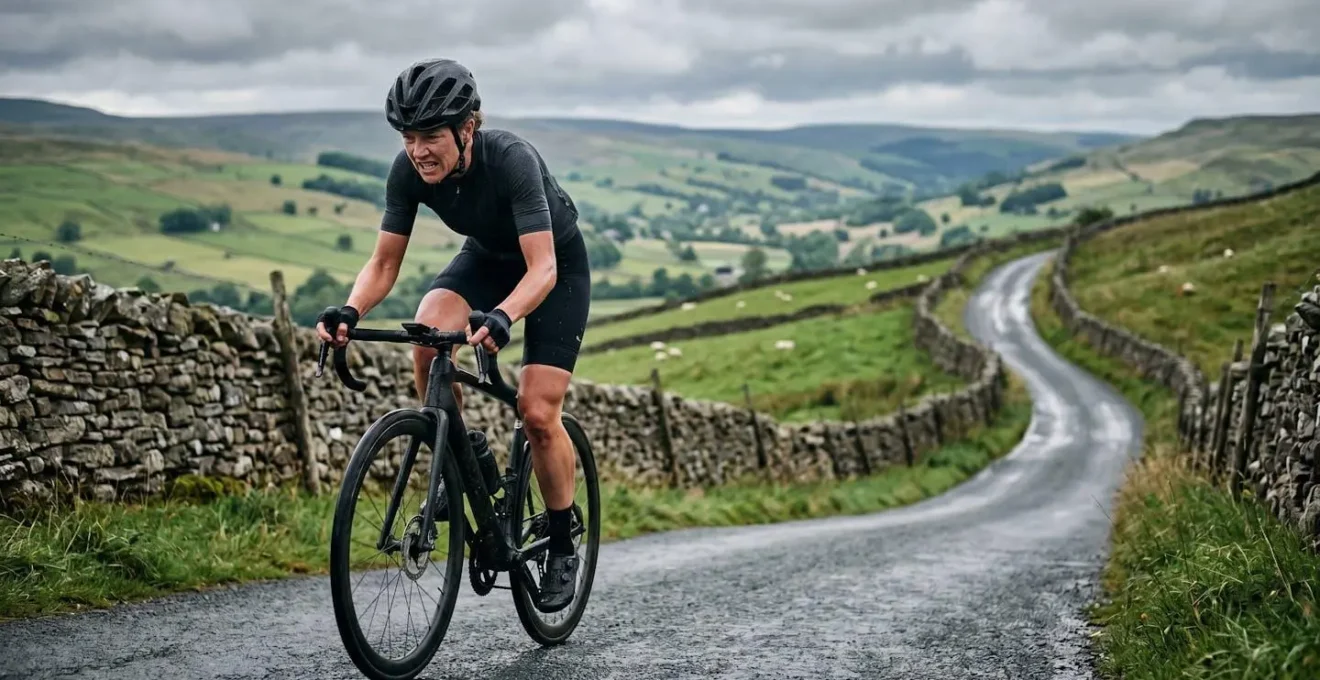
In real-world testing on UK terrain, both systems, particularly with their latest ‘freeride’ updates that work without a pre-loaded course, are adept at picking up climbs. However, their presentation and customisation differ significantly. Garmin’s ClimbPro often takes over a large portion of the screen, dedicating it to a colour-coded gradient profile and map. This is visually impressive but offers limited space for your other preferred data fields. Wahoo’s Summit, on the other hand, is praised for its flexibility. As one expert review notes:
Wahoo Summit is traditionally the most customizable, and you can set up almost any data field. In my opinion, it provides the most useful information, with just a few minor details missing (remaining average gradient).
– Cyclists Hub Expert Review, ClimbPro vs Climber vs Summit Comparison
This customisation is a key aspect of cognitive resilience. It allows you to see the exact information *you* need to pace yourself effectively, whether that’s power, heart rate, or cadence, right alongside the climb profile. While Garmin presents a beautiful, curated experience, Wahoo gives you the raw tools to build your own, a trait many data-focused riders prefer when the suffering begins.
Radar vs GPS Battery: Does Pairing Them Kill Your Head Unit?
A rear-view radar, like the Garmin Varia, is arguably one of the most significant safety innovations in cycling, providing both visual and audible alerts of approaching vehicles. It’s an always-on sensor that is constantly communicating with your head unit via ANT+. This raises a critical question for endurance riders: what is the battery-life cost of this invaluable safety feature?
This is an area where Garmin’s bigger batteries and focus on power efficiency often give them an edge. Wahoo units, particularly the more compact BOLT, are designed with a focus on aerodynamics and simplicity, which can sometimes come at the expense of battery capacity. The impact of a paired radar is noticeable on both, but it can be more consequential on a device that starts with a smaller power reserve. In a long-term test, the difference in power management can be stark.
For example, extensive real-world testing showed that over a 9-hour ride with 5 hours of standby, a Garmin Edge 540 used just 22% of its battery, while a Wahoo BOLT V2 used 82%. While this is an extreme comparison between a newer, larger Garmin and a smaller Wahoo, it illustrates the difference in battery philosophy. Garmin’s units are generally built to endure, a fact that becomes even more important on multi-day adventures or when powering multiple sensors like a radar and a power meter. As one expert from Cyclingnews puts it, this larger capacity is a key differentiator for certain types of riding.
For a typical 3-4 hour ride, either unit paired with a radar will be more than sufficient. But for audax, touring, or all-day epic rides, the superior battery life of the larger Garmin models provides a significant and reassuring safety margin. It ensures that both your navigation and your rear-view awareness will last the entire journey.
Key Takeaways
- For wet-weather reliability, physical buttons (Wahoo, Garmin 540/840) are superior to touch-only screens due to their immunity to rain and gloved use.
- The real-world benefit of solar charging in the UK is marginal; prioritising a unit with a large base battery is a more effective strategy.
- Map choice is a trade-off: Garmin’s detailed Topo maps are great for exploration but can be cluttered in rain, while Wahoo’s simpler maps offer better at-a-glance legibility.
Mapping Ecosystems: Why Switching Brands Means Rebuilding Your Route Library?
Choosing between Garmin and Wahoo is more than just a one-time hardware purchase; it’s an investment in an ecosystem. Your ride history, performance data, and—most importantly—your carefully curated library of routes all live within that brand’s platform (Garmin Connect or the Wahoo ELEMNT app). The prospect of switching brands can be daunting because it threatens to orphan this valuable data, particularly your routes. This is the hidden cost of switching: the ecosystem lock-in.
Fortunately, the walls of these gardens are not as high as they once were. The rise of excellent third-party route-planning platforms like Komoot, Ride with GPS, and Strava has created a ‘neutral ground’. By making one of these services the primary home for your route library, your head unit becomes simply a device for displaying them. Both Garmin and Wahoo have excellent integration with these platforms, allowing seamless, wireless syncing of routes. This strategy effectively de-couples your valuable route data from your hardware choice, giving you the freedom to switch between brands with minimal friction.
If you do decide to switch, migrating your existing library is a manageable process. You don’t have to rebuild everything from scratch. By using a third-party platform as a bridge, you can future-proof your route library and make your next GPS computer choice based purely on the merits of the hardware, not on the fear of losing your data. The key is to be proactive and build your library on neutral territory.
Your Action Plan: Steps to Transfer Routes Between Garmin and Wahoo Ecosystems
- Use third-party neutral platforms: Build and store routes on Komoot or Ride with GPS as primary library, making the head unit simply a display device.
- Export Garmin Connect routes: Use Garmin Connect’s bulk export feature to download routes as GPX files for transfer.
- Verify elevation data quality: Check that routes transferred via third-party platforms maintain accurate elevation profiles – Komoot has been reported to flatten some climbs.
- Test UK-specific mapping integration: Confirm that Ordnance Survey layers and bridleway permissions sync correctly when using cross-platform route builders.
- Sync via companion apps: Both Wahoo and Garmin allow route syncing from Strava, Komoot, and Ride with GPS through their smartphone apps for seamless transfer.
Ultimately, the choice between Garmin and Wahoo for UK riding comes down to your personal philosophy of risk and resilience. If your priority is absolute, bomb-proof reliability in the worst conditions—a device that simply works, every time, with no fuss—then Wahoo’s focus on button-driven simplicity and high-contrast clarity offers the highest degree of cognitive resilience. If, however, you are a data-hungry rider who needs advanced mapping, training metrics, and is willing to accept a small compromise in wet-weather usability for a richer feature set, the latest hybrid Garmin models provide a powerful and compelling package. Choose the device that will reduce your mental load, not add to it, when the rain starts to fall.